
Today we start a creative and technical journey into the world of AI agents and MCP. My ongoing mission, as many of you know, is to give my rubber chicken sidekick a real consciousness - to turn him into a genuinely intelligent chicken. I keep hearing philosophical dualists insisting that machines can’t be intelligent because human intelligence is somehow superior. In my house, machines could well end up smarter than we are, so I want an intelligent colleague sitting right there in the chicken’s little head.
So let’s begin. We’re going to build a small agent inside the Cheshire Cat that acts as a daily-planner assistant, has access to the file system, and - most importantly - has a skill system. I’ll show you how skills work from scratch, the same kind of skills you find in Claude Code, but built with our own hands on top of Cheshire Cat 2.
A word on the developer crisis
Before we dive in, let me share something. We’re living through a rough period for developers, and I’m going through it too, with real ups and downs. It’s one of the reasons I came back to doing these videos: I see less and less point in writing code the way we did just a few months ago.
I still believe it’s important to understand what’s underneath, to know how to validate and secure software, to design architecture, to make real decisions about technology. But writing code line by line? I think that’s basically over. Honestly, it’s even worth going back and reading the code the agents write, mostly to make them write tests, to check their work. We’re going to invent a whole set of practices around that. Plenty of international YouTubers are talking about the same shift, and there’s a lot of anxiety in the air. So while we work through it together, let’s at least have some fun.
Bootstrapping the project with UV
I start by grabbing the setup prompt straight from the Cheshire Cat website - it’s in the documentation too. This prompt exists precisely so you don’t have to fire off a bunch of commands by hand; it’s really just two or three UV commands. The Cat is now a proper Python package.
If you don’t know UV: it’s a package manager for Python that’s much faster and much easier to use than pip. It lets you juggle multiple Python versions effortlessly, and you don’t need to fuss with virtual environments - with UV, the folder where you run it is the environment your packages get installed into. They unified the environment and the package manager into a handful of commands.
So I make a new folder, call it pollo-skills, cd into it, and launch my agent -
Claude, OpenCode, Copilot, Codex, whatever you like. I paste in the prepared
prompt. It tells the agent to read the documentation, set up the environment with
UV, and then read the Cheshire Cat API so that it not only installs everything but
also points itself straight at how to use it. I tell it to go ahead.
While it reads the docs and checks that UV is installed, a small tangent on what’s happening in the broader tooling world.
What gets crystallized, what stays open
Some viewers who aren’t especially technical tell me: “Look, watching you and others vibe-code, it clearly takes a ton of skills to actually do this.” And I’d say - a bit yes, a bit no. Over time this stuff gets crystallized where it should be crystallized, and left free and flexible where it’s right to keep it that way.
Take Lovable or Replit. They’re organizing things so that a user who doesn’t know much code gets the impression of building the whole application. In reality they’ve crystallized the backend with something like - not necessarily this, but similar to - Supabase: a solid, armored backend that lets you create tables and relations, with authentication, permissions, and everything already implemented. The vibe coder then mostly builds the front-end and the data structures they need on top.
That’s a hot question in itself: what do you crystallize, and what do you leave open?
The Cheshire Cat is up
The agent runs the init, adds the Python package, and installs the very latest version of the Cheshire Cat. It wants to launch it - I tell it no, I’ll run it myself in a separate process so you can watch how it works. I open a terminal and run the server myself. There’s the big cat, alive.
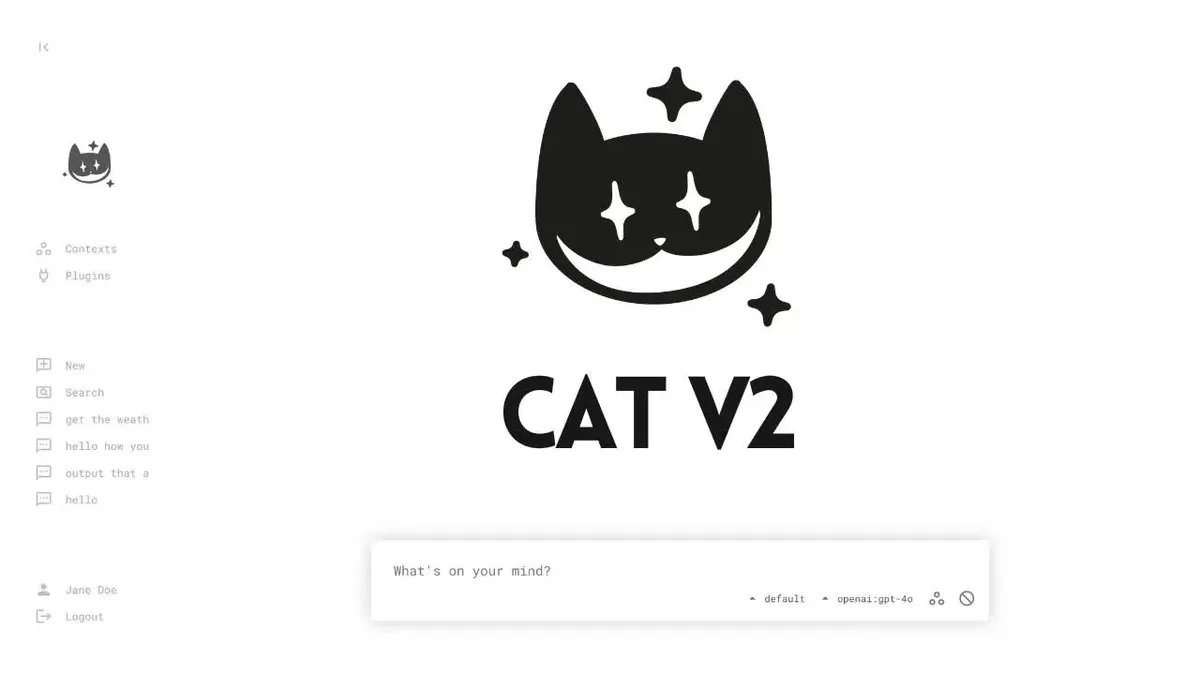
We get a graphical interface and a set of API endpoints. Opening the endpoints
without logging in gives us not found and invalid credentials - good, exactly
as it should be, because by default the agent is authenticated.
A note on authentication: the Cat ships with a fake identity provider that you’d
replace in a real production install with something serious - Google login,
Keycloak, Auth0, whatever you prefer. When the Cat is launched in the browser, it
delegates authentication to that identity provider. For quick local work, this fake
provider just wants the machine-to-machine key, which here is simply miao. You can
change that later.
For the language model I use OpenRouter (I won’t show you my key). In the settings you can also pick VLLM, Anthropic, a local Llama, and so on - providers are easy to add or remove as plugins. I go hunting for a model. OpenRouter offers a huge list now - it’s honestly becoming absurd how many there are. After a few slow and unresponsive picks (that’s the luck of the draw with whichever provider OpenRouter routes you to), I settle on Gemini 2.5 Flash, which finally responds fast. Good. The Cat is talking.
Directives: the core abstraction in Cheshire Cat 2
Now I ask the agent to create a new plugin with a new agent called SkilledAgent.
This is the moment to explain the key idea in Cheshire Cat 2: the directive.
In Cheshire Cat 2, skills, guardrails, prompt modifiers, and MCP servers are all abstracted into a single concept called a directive. There’s an agentic loop - the agent follows its turns one at a time - and inside that loop you can plug in reusable pieces that work across different agents. Each of those pieces is a directive.
This is a shift from the old idea of tools and hooks. Hooks are still there, but they weren’t enough anymore for the new things agents need to do - especially things like giving each agent (and each user, per agent) its own file system. Those cases are tougher, and directives are the answer.
What’s inside the project
Let me open the folders it created. Inside data there’s the uploads folder and,
crucially, the SQLite database. There’s no more metadata.json; instead there’s an
SQLite store that’s easy to extend. It holds both a per-user key-value store and a
global key-value store, so in most cases you don’t even need to create tables -
there are very simple APIs to use those key-value stores.
Under plugins you find several preinstalled plugins:
- Chat history archive - the Cat’s core keeps no conversation history and stores nothing itself; everything is saved outside. So you can save chats here, or disable this plugin and persist them wherever you like, with your own database.
- Language model plugins - Anthropic, Gemini, and so on, easy to add or remove; you can plug in local models like Llama too.
- The fake identity provider you saw earlier, which you can unplug and replace with a real one.
- Tutorial agents and example directives to chew on.
One example directive is the clock directive: it appends the current time to the system prompt so that, without calling a tool every time the prompt passes through the language model, the model always has the up-to-date time. Very useful these days - I know Anthropic already does something similar.
The graphical interface itself lives in a plugin, not in the Cat’s core, and so do the upload endpoints, which were extracted out of the core. What’s still missing is vector memory, and that’s deliberate - I haven’t put it into the Cat yet, because I think vector memory is increasingly a plus rather than a must. The RAG era already feels like it was twenty years ago. In reality RAG got encapsulated into tools, but that’s a longer discussion for another video. Write to me if you want to hear more about where RAG, vector DBs, agentic search, and file-system navigation all stand now.
The notes agent (that I didn’t ask for)
The agent gets a little enthusiastic and scaffolds a plugin called pollo, even
building a small notes agent I never requested. I rein it in - “I didn’t tell you
to create this stuff, close it up for now” - but the code it wrote is a great tour
of how simple things have become, so let’s read it in VS Code.
The plugin has a manifest and a single file, assistant.py. It’s remarkably
compact:
- You
importthe agent primitives anduser-useris already the user operating this agent, wired up with some arcane Python techniques so it’s just there. - You define a class for the agent. You give it a slug (how it’s reached as an extended endpoint) and a description. Those matter mainly when you want agents to talk to other agents and they need to know each other’s names and what they do.
- You attach the
clockdirective. You don’t have to rewrite it - you can either import the directive and build it with a constructor, or just drop in the string. Simple as that.
Anatomy of a directive
The clock directive is a tiny class with three methods: start, step, and
finish. The agent gets passed in, and you get to manipulate the agent, manipulate
the tools, log things, ship data somewhere - observability, everything it’s doing.
Guardrails, skills, dynamic tool modifications, vector memories, RAG - they’re all
built as directives in Cheshire Cat 2.
The step method receives the agent on every step of the agentic loop. The system
prompt is reset at every step, so the clock directive simply re-appends “current
day, current time” each time, and the agent always knows what time it is. Dead
simple.
Tools live on the class
Notice how tools work: inside the agent class you use a @tool decorator on an
async function that takes self as its first argument. That self is useful for
reaching other things inside the agent - a capability few frameworks have, because
they usually frame a tool as a plain function. That plain-function framing never
convinced me.
The notes agent it invented exposes read_notes, add_note, and clear_notes -
a form of persistent memory. Look how clean the persistence is:
notes = await user.load("notes") # per-user key-value storenotes.append(new_note)await user.save("notes", notes)You load from the specific user’s key-value store at the key notes (empty if
nothing’s there), append, and save. If you want to store global things instead,
you import store alongside user and call store.save(...). It’s genuinely easy
- and I nearly died making it this easy. But I’ve come to terms with the fact that almost nobody reads this code anymore, so at this point it’s better to make it easy so the agents understand it. And they do: the agent figured everything out in a few minutes, because the documentation itself is written for agents more than for people.
Trying the notes agent
I enable the pollo plugin, start a fresh conversation, and ask it to read my
notes. First hiccup: the model I’d picked doesn’t support tool use - “no endpoints
found that support tool use.” I swap models a couple of times (some giants like
GLM, then a small Qwen 2.5 Coder) until one works.
It calls read_notes, finds the notebook empty, and reports back. I add two notes:
one about taking someone’s mother out to dinner, another a note about the infinite
beyond this hedge (a little Leopardi joke). If the model is good it fires both
add_note calls in parallel; if it’s weak it does them in sequence. This one runs
them in parallel - the Cat is fully async under the hood, which is why you see all
those awaits. The two notes land in the database.
The nice proof: the Cat’s default agent has its own tools and no idea about these
notes - ask it and it finds nothing. Only the pollo agent, which owns the notes
tools, can read them back. Persistence confirmed.
Building the skill system from zero
Now for the main event. I want the pollo agent to have both the clock directive
and a new skills directive that we’re going to scaffold together.
First, a small aside that proves the clock directive works: I ask the agent what
time it is and it answers “16:26” without calling any tool - because we inject the
time into the system prompt on every step of the agentic loop. In general I think
it’s better not to have tools for asking the time, or who the user is, or what
language they speak. Some things belong permanently in the system prompt: what time
it is, what day it is, where you are, who the user is and what they’re called, what
language and register to use. A bit of setup like that is better handled the way
CLAUDE.md handles it - stuff the agent should always know, no need to hide it
behind tools.
How skills actually work
Here’s the plan I dictate to the agent. When the pollo agent has the skills
directive, I expect the directive to do two things:
- Look in a folder where the various skills live - each as a
skill.mdfile. - Dynamically add a tool to the agent (without the agent having it hardcoded) that lets it open and read a skill.
And it needs to append to the system prompt the list of available skills. Because - let’s be honest - skills are kind of a silly, simple mechanism under the hood. That’s the beauty of it.
Concretely, the instructions I give:
- The default directory for skills is
project_path/skills. - The directive should append the list of skills to the system prompt so the agent knows which skills are available.
- It should add a tool so a skill can be opened by name; when the tool is called, the content of that skill is returned into the context.
- Also create an example skill for cooking Italian/Asian fusion cuisine.
I even prepare the folder myself: data/plugins/.../skills, a skills folder right
inside the project. You have complete freedom over where to search for skills - the
Cat can easily reach the project working directory, the plugin’s own directory, and
the data directory where persistence lives, if you need custom behavior.
Progressive discovery: the whole point
Let me spell out why skills matter, because it’s easy to miss. When the agent
starts, its system prompt already contains: who you are, what you do, these are the
skills available to you, and these are your tools. Among the tools is an
open_skill tool. The agent calls it with the name of a skill, and that tool does
nothing more than go into the skills folder, read that specific skill.md, and
inject its content into the context.
The essential advantage of skills is progressive discovery. At the start the
agent knows only the names of the skills. Then it opens and reads a particular
skill.md, which can point to further files and scripts, and it learns only what it
needs to learn, when it needs to learn it. It gets more interesting when skills
contain layered files of various kinds.
Reading the generated directive
The example skill it created is italo-asian-cuisine, complete with the typical
skill front-matter (name, description) and instructions for gnocchi, tortellini,
risotto, and the like.
The directive itself, in pollo/directives/skills.py, imports the base directive
and the agent, plus config to reach config.project_path - the project’s root
folder. It defines a couple of helper functions: one to parse the skill’s
front-matter, one to get the directory where skills live. Both could easily become
settings later - agents and directives can have settings that show up as
little panels in the UI, so you could expose the skills folder as a configurable
field.
The skills directive works like this:
- On
start(before the loop), it looks up where the skills are, builds a catalog of each skill’s name and description, and appends to the system prompt: “You have access to the following skills. When you want to use one, callopen_skillpassing the skill’s name, and you’ll learn how it works.” Then it lists the skills. If there are no skills, it says so. - It defines
open_skill, the tool that opens a skill: it receivesskill_nameand reads theskill.mdinside that folder. (It parses the file into front-matter plus body and returns the body - the file’s content - rather than reading it completely raw. Fine either way.) - Because we’re inside a directive, the tool has to be added to the agent
dynamically:
agent.tools.append(...), building the tool on the fly from that function.
Why all this ceremony? Because if you build four different agents, some should
support skills and others shouldn’t. You just add skills to a given agent’s
directives and that agent is skill-capable - with the open_skill tool wired in
automatically. Leave it off, and it isn’t. That’s the payoff of the directive
abstraction.
It works
Back in the browser, still talking to the pollo agent, I ask: “What do you know
about fusion cuisine? Give me your best recipes.”
The first thing it does is call open_skill, which returns the content of the
skill.md; now the agent knows about that skill and reports back the recipes -
yuzu risotto and friends. It even reads my saved notes on its own and adds a
thoughtful aside: it noticed my note about taking someone’s mother to dinner and
offers to add ingredients to the notebook. This is exactly the progressive
discovery pattern: the agent knew all the skill names, opened only the one it
cared about - you can see it passed skill_name: italo... - through a dedicated
tool. It’s the same green “skill” dot you see light up when you use Claude Code: it
fires the tool to read that skill’s skill.md header and body, which then points on
to more.
(One thing worth a pull request if you feel like it: there’s currently no way to interrupt a running execution.)
What we built, and where it goes next
And there it is - the first agent built on Cheshire Cat 2, and a skill system written completely from scratch, the same kind Claude Code has. A long road that will, eventually, give my rubber chicken a real consciousness.
If you want an exercise: tell your agent to also generate the settings for where the skills folder lives, defaulting to what we set up here. A nice panel will appear where you can choose one or more folders, and the directive will search them for skills. But that’s for another video.
Next time I want to tackle the file system: how to give the agent an isolated
file system it can navigate easily. Right now we have a tool that opens a
skill.md, and that skill.md can point to other files - but the agent has no way
to read the file system yet. So we’ll need both the skill system and an isolated,
easily navigable file system. That’s very much in fashion right now.
This kind of hands-on exercise is exactly what I run in my corporate course, reskill: two consecutive days where we cover how agents work technically - vibe-coding them from zero in whatever language you like - RAG versus agentic search, MCP, skills, and a whole part on updating professional skills around vibe coding, agentic engineering, and spec-driven development. It’s aimed at companies; get in touch if you’re interested.
Share this video with a friend who wants to understand how skills work at a low level. They’re few, but they’re the right people.