
You know that scene in The Matrix where they plug a jack into the back of Neo’s neck and suddenly he knows jiu-jitsu, then karate, then how to pole vault? That’s more or less the idea behind AI and the job the MCP protocol is meant to do - and a new version of MCP is landing on July 28th.
This one is split in two. The first part is for those of you who are new here, so I’ll take it slow and explain what MCP is and what it’s good for. The second part is technical: the details of this new version, what it includes and what changes, especially for those who’ve already used it and got hooked.
What MCP actually is
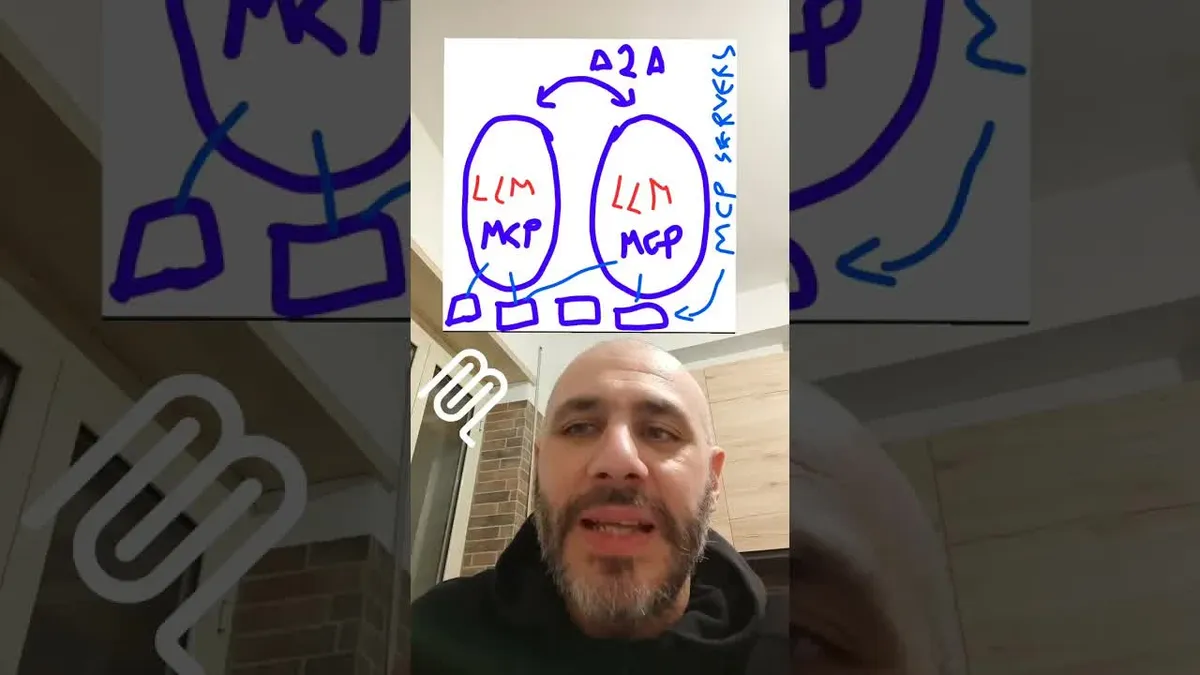
Take your agent. Just like Neo in The Matrix, you want to be able to plug a jack into it and give it new capabilities - the ability to do different things and compose them together.
For example, I want an agent that can see my calendar. Then I want another one that connects to my gym to check the schedule. I want one that handles both my email and the gym. I want the ability to make payments, or to have it check my bank account. Basically everything we normally do by clicking around the web, we can hand off to our AI agent.
These little pieces - these connectors, or MCP servers - are best imagined as apps on your phone, but for AI agents. You install and uninstall these MCP servers. You’ll actually find them active both inside Claude on the web and inside ChatGPT. The ChatGPT apps like Canva and Stripe are all MCP servers under the hood; they’re MCP apps.
MCP stands for Model Context Protocol. As a protocol it’s a set of open rules, like HTTP. Think about how we share links or memes with friends on WhatsApp - MCP is a protocol too, a set of rules that machines have to use in order to talk to each other. In this case, MCP is what lets your AI agent communicate with external services: Stripe, Gmail, the gym, the restaurant, Google Maps - all the things we’re used to using ourselves, except now the agent uses them on your behalf. You tell the agent what to do, and it takes care of it.
That’s the introduction. This MCP, in its early versions - it comes from Anthropic - was interesting but also pretty weak, because it was designed mainly to run locally on a single computer, which didn’t make a lot of sense.
The technical part: what changes on July 28th
This is where I switch to the part for the techies. So those of you who were only here for the intro can scroll on - see you in the next video. Now that it’s just the six of us left, here are the new features of MCP.
It’s finally stateless
The first big one: MCP has finally become stateless.
Before, MCP required an initial handshake that cost you 200-300 milliseconds across several HTTP calls. You had to maintain a session ID, and the server had to recognize that session ID - so it was session-based, “stateful.” With the new version, as of July 28th, the protocol is officially, fully stateless. That means:
- Easier to program.
- Easier to manage conversations between a client and multiple servers.
- Easier to maintain the servers, and easier to scale them.
It took them a long time, but I’ve read through the details and it really will be more comfortable to work with.
Deprecations
I found it interesting that there are some deprecations - things that are no longer part of the protocol.
- Logging - okay, not needed.
- Roots - the
rootsprimitive that lived in the MCP client has been removed. I understand why: it was mostly useful when MCP servers all ran locally on your machine, so you could tell a server which folder on your computer to work in. Now that it’s become what it always should have been - a network protocol - it makes no sense to tell the server which folder you’re working in. - Sampling - this one genuinely surprised me. Sampling was also a client-side primitive. It let a server, when the MCP client (your agent) called it, ask the client “can I use the language model for these messages?” - since the model is actually attached on the client side. The client would then fire the prompt at the language model.
Sampling was perfectly coherent with Anthropic’s vision: centralize the intelligence, distribute the system integration across MCP servers. Oddly, they removed it - maybe because nobody uses it. In general, if I have a client, letting servers reach for the language model at random never really made sense, and I’ve never seen anyone use it. Honestly, I’m not sad to see it go.
Extensions: dialects on top of the core
The other point is extensions. There’s the core MCP protocol with its set of primitives - the ones we know: a server has resources, prompts, and tools. But there are also extensions, dialects that aren’t part of the core protocol but gradually settle into place and are maintained by separate teams. Two of them are of strong interest.
Tasks. This lets you have long-running jobs in MCP - for example, working on videos, transcriptions, stuff that might take a whole day. Your client, your agent, sends a task. It’s not a simple tool call; it kicks off an actual task. It always starts from a tool call, but the tool responds saying “the task has started.” At that point the client shouldn’t expect a direct answer - it knows there’s a task in progress and will have to call back to get an update.
MCP apps. This is the extension I’m most excited about, partly because - and I’ll come back to this - Cheshire Cat 2 is about to ship. What do apps have that servers don’t? Apps are more oriented toward this: when you chat with an agent that has an MCP client, that agent in turn can talk to MCP servers - Gmail, the restaurant, whatever. With apps, those servers can offer not just text responses and files, but also pieces of graphical interface. These are the apps you see inside ChatGPT. I think there’s the potential for a huge market to grow around this, and I can’t wait to try them in more detail.
Authorization
Then there’s the authorization side, which is a bit more complicated - the part I can speak to least confidently - but it should all be compatible with OAuth.
Where to learn MCP hands-on
I cover MCP in detail in my corporate course, “Reskill.” I have to say, over the last few months interest in MCP has climbed a lot. Last year I kept pitching it and nobody wanted to hear about it; now the interest is finally starting to appear. So if you want to get some real practice with MCP, I’ve already got material ready - in fact I’ll present the course to you directly through an MCP server, so you can consume the course material through your own Claude, Copilot, ChatGPT, or Cheshire Cat.
And Cheshire Cat 2
Cheshire Cat 2 ships in two weeks - this time for real, don’t tell anyone. It’s
already on the main branch on GitHub, still to be stabilized, but it’s on main,
and I can’t wait to support this MCP apps extension in the Cat as well.
Just don’t spread it around, because otherwise people start coming at me with “ah, but the enterprise, we want to scale.” I don’t care one bit - this time I want to have fun. So version 2 of the Cheshire Cat will be mainly for educational and research purposes. No need to compete with the mega enterprise framework. If you want stuff that scales, go right ahead and use that. But if you want to actually understand AI and build services on a small scale - for hundreds of people - that’s what this is for.
And I go off on a tangent here, but these folks who tell me “no, my system has to scale” - your grandmother has to scale. The bottleneck is the language model. What are you scaling when you’re stuck at 60-70 tokens per second and paying a fortune for them? What scaling?
Anyway - send this video to a friend who’s still using skills, and tell them, from Piero, that they’re hopeless. See you in the next one. Ciao, folks.